
+ 200 Free Spins
No promo code needed

Billybets Casino Mobile App: Play on iOS and Android
The Billybets Casino mobile experience lets you play from an iPhone, iPad or Android device through your browser. You can add an Install and Play shortcut to your home screen, then open the site in a clean full-screen view without downloading extra software.
Player Favourites
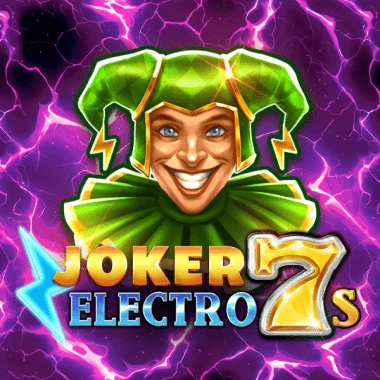
Joker Electro 7s
flatdog

SugarDaddy
inout

Wizard of Wild
kagaming

7 Piggies
pragmaticplay

Big Game Fishing Golden Catch
yggdrasil

Very Lucky 243
1spin4win
How the Billybets mobile app experience works
Billybets Casino uses a responsive mobile website rather than a separate downloadable app. The layout adjusts to your screen, so menus, games and account tools remain usable on both smaller phones and larger tablets. Pages are designed to load quickly, including slots, table games and live webcam streams.
On this page
There is no dedicated iOS or Android app. Instead, the Install and Play option creates a home screen icon that opens the mobile website through your device’s default browser. It feels similar to opening an app, while the casino remains browser-based.
A shortcut, not a software download
The shortcut does not require an additional software download. It simply gives you a faster way to return to the Billybets mobile site from your phone or tablet.
For Australian players, this means you can use Billybets Online on the go while keeping the familiar browser controls available. Your device must still have an internet connection, and normal mobile data charges from your network provider may apply.
How to add Billybets to your phone’s home screen
Setting up the mobile shortcut takes only a few steps. The wording may look slightly different between iOS and Android, but the basic process is the same.
- Open the Billybets mobile website
Use your phone or tablet’s default browser to load the Billybets Casino website.
- Find Install and Play
Open the left-hand menu and select the Install and Play button.
- Follow the device instructions
The on-screen guide walks you through adding a shortcut to your iOS or Android home screen.
- Tap the new icon
Use the home screen icon whenever you want to return. It opens the mobile site in full screen through your default browser.
If you prefer not to create a shortcut, you can simply open the site in your browser whenever you want to play. The responsive interface is available either way, so the shortcut is mainly about convenience.
What you can do from a mobile device
The mobile interface is built for more than just browsing. You can move through the casino, open games and watch live webcam tables from a compatible phone or tablet. The layout is intended to keep important controls accessible without needing a desktop screen.
The wider casino library contains more than 13,000 games, including over 9,000 video slots, live casino tables, jackpots, game shows, bingo and lotto, crash games, scratchcards, instant wins and virtual sports. Those categories are available through the mobile website, although the exact way a game displays can depend on your screen size and browser.
Live play is also part of the mobile setup. The catalogue includes live roulette, baccarat, blackjack, Sic Bo and game shows such as Monopoly Live and Sweet Bonanza Candyland. Webcam streams can use more data than standard pages, so a Wi-Fi connection may suit longer sessions.
Try games before creating an account
Demo mode is available across the game library without account registration. It gives you a way to explore how a game looks and works on your phone before using real money.
Mobile payments, account checks and the cashier
The mobile cashier supports the same broad payment range available through the platform. Deposit options include Visa, Mastercard, Skrill, Neteller, MuchBetter, Jeton, bank transfer, Apple Pay, selected local transfer services and cryptocurrency wallets. The minimum deposit is $30 AUD.
Cryptocurrency options include BTC, BCH, ETH, LTC, USDT on TRC-20 and ERC-20, XRP, DOGE, DAI and USDC. You can choose an accepted currency from the cashier, with available methods depending on the transaction and account.
| Item | Details |
|---|---|
| Minimum deposit | $30 AUD |
| Minimum withdrawal | $15 AUD |
| Deposit turnover before a withdrawal | 1× |
| First withdrawal check | KYC verification required |
| Australian Mastercard deposits | Withdrawal by bank transfer |
A 1× deposit turnover must be completed before you request a Withdrawal. KYC verification is required before your first withdrawal, and the verification is completed within 24 hours. Identity documents are part of that check, so it is sensible to have the required identification ready when you use the cashier.
The mobile browser is also useful when you need to check a transaction or contact support. The cashier displays the current options for your account and method, while the Help Center covers deposits, withdrawals, technical issues and general troubleshooting.
Keeping your mobile session secure
Connections to Billybets use HTTPS encryption. As with any account used on a phone, keep your device’s operating system and browser updated, use a screen lock, and avoid signing in on shared devices. These simple habits help protect your account details when you play away from home.
- Use your own phone or tablet where possible.
- Check that the browser address is correct before entering account details.
- Avoid saving account information on a shared device.
- Use a secure Wi-Fi connection for payments and account changes.
- Sign out if another person may use the device.
- Set personal spending and time limits before playing for real money.
Gambling uses real money and outcomes are uncertain. Treat mobile play as entertainment, set a budget, and take a break when your session no longer feels enjoyable. Self-exclusion is available by contacting the customer support team.
Check the screen before confirming a payment
Mobile screens are compact. Before tapping confirm, review the amount, currency and payment method so the transaction matches what you intended.
Help when the mobile site needs a hand
Support is available around the clock through live chat, 365 days a year. An AI assistant called Billy Bot starts the conversation, and you can request a transfer to a human agent. This is useful if a game does not load, a payment screen behaves oddly or you need help with the mobile shortcut.
Email support usually responds within 3-12 hours, with longer response times during busy weekend periods. The Help Center provides self-service information for deposits, withdrawals, technical issues and general troubleshooting.
| Channel | Availability or response |
|---|---|
| Live chat | 24/7, 365 days a year |
| Billy Bot | Initial live chat assistant |
| Human live chat agent | Available on request |
| Usually 3-12 hours | |
| Help Center | Self-help for payments and technical issues |
If you are comparing a mobile app with a browser shortcut, the main difference is how you open the service. The Billybets mobile shortcut launches the responsive website in full screen, so you still use the browser-based platform rather than a separately installed app.
The mobile format does not change the general account rules. A Review of the service, a No Deposit Bonus search or a Promo Code query should not be confused with installing the shortcut: the mobile setup is simply the way you access the casino from an iOS or Android device.
Before you start playing on mobile
A quick check before your first mobile session can save a bit of fiddling later. Make sure your browser is current, your connection is stable and your device has enough battery for the type of play you have planned. Live video tables and long sessions can use more power and data than ordinary browsing.
Once the shortcut is in place, access is straightforward: tap the icon, wait for the full-screen mobile site to load and choose what you want to do. You get the convenience of a home screen entry point while keeping the flexible, browser-based Billybets Casino experience.
Ready to use Billybets on your phone?
Open the mobile site, follow the Install and Play instructions and keep the shortcut handy for your next session.
Mobile App: your questions
Can I use Billybets Casino on an iPhone?
Yes. Open the mobile website in your iPhone browser and use the Install and Play option in the left-hand menu to create a home screen shortcut.
Does Billybets work on Android phones?
Yes. The mobile interface is responsive on Android devices, and the Install and Play instructions guide you through adding a full-screen shortcut.
Do I need to download an app?
No additional software download is required. The shortcut opens the responsive mobile website through your device’s default browser.
Can I play live casino games on mobile?
Yes. The mobile experience supports live casino games and webcam streams, including roulette, blackjack, baccarat, Sic Bo and live game shows.
Can I try games on mobile without registering?
Yes. Demo mode is available across the game library without account registration.
Is mobile live chat available all day?
Yes. Live chat is available 24/7, 365 days a year. Billy Bot starts the chat, and you can request a transfer to a human agent.
Can I use the mobile cashier?
Yes. You can use the browser-based cashier from a mobile device. The minimum deposit is $30 AUD and the minimum withdrawal is $15 AUD.
Is the Billybets mobile site secure?
Connections use HTTPS encryption. You should also use a secure device, keep your browser updated and avoid entering account details on shared devices.